canlı casino siteleri online casino rottbet giriş rott bet güncel giriş

canlı casino siteleri online casino rottbet giriş rott bet güncel giriş
Managing complex measurement tasks requires a streamlined, integrated data acquisition system. MultiGage by Motionics was developed for this purpose.

With the introduction of MultiGage+, users can now benefit from additional functionality for enhanced measurement workflows and improved data management.

MultiGage+ includes all of the powerful capabilities of the MultiGage software for Windows, but offers additional features including:

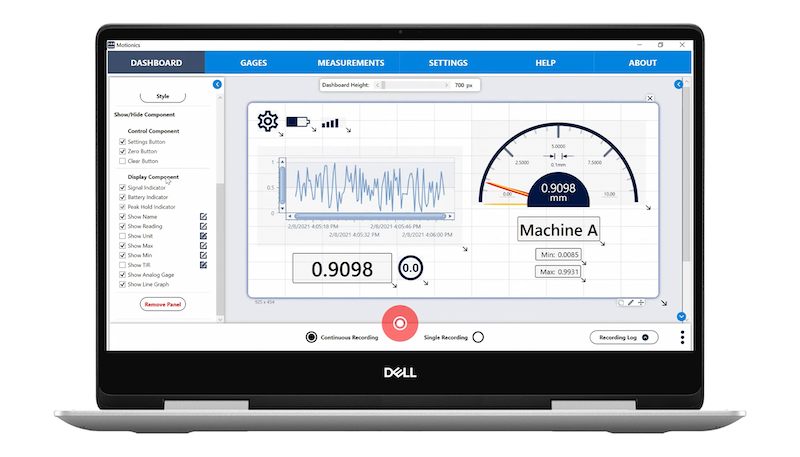
MultiGage+ software with customizable dashboard layout, waveform graph, and digital indicator

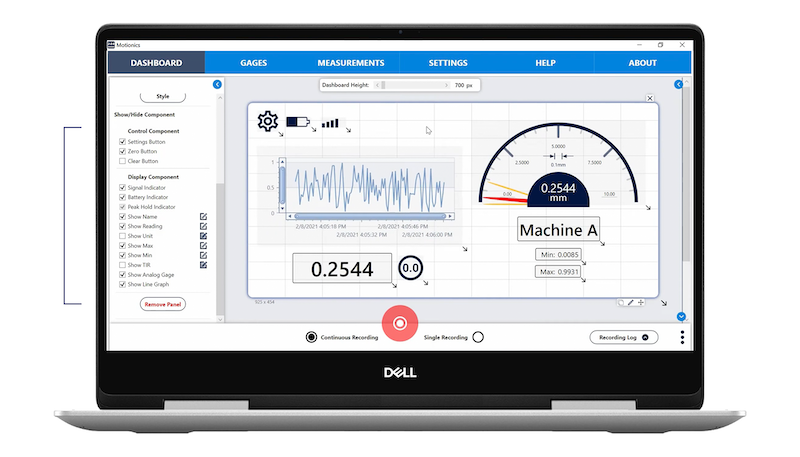
Dashboard Toggles

MultiGage+ gives users added customization and flexibility through individual component toggles, allowing users to easily show or hide elements as needed.

MultiGage+ software with customized measurement panel showing live waveform, digital reading, and dial indicator

Moveable Elements

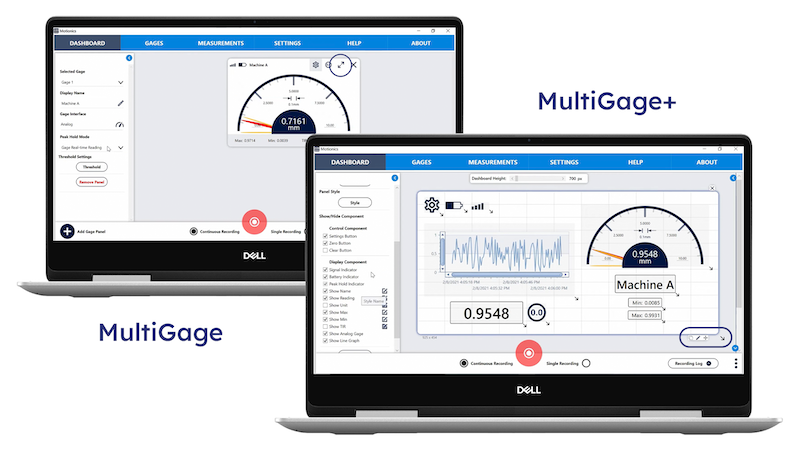
Panels can be moved and repositioned more easily with MultiGage+, giving users the ability to view the most important information first and tailor the workspace to match their measurement setup.

Comparison of MultiGage and MultiGage+ software interfaces on two Windows laptops

Resizable Panels

Resize dashboard panels to fit more components onto the screen and monitor even more data points simultaneously or focus in on specific measurements with a larger, less distracting view.

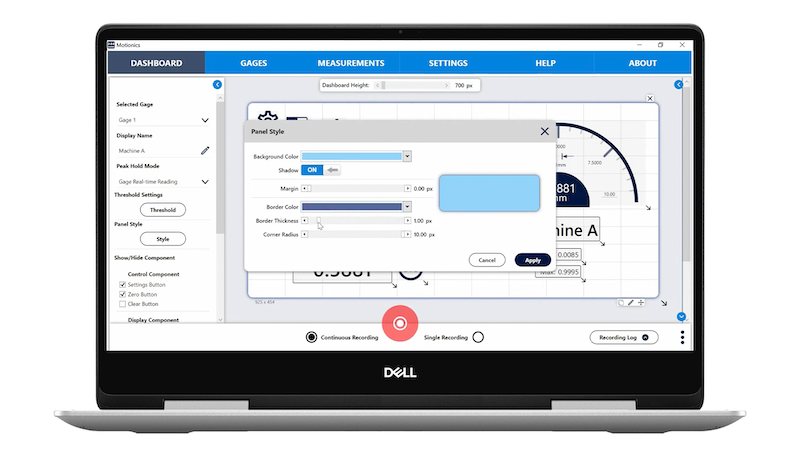
MultiGage+ dashboard with open panel style editor for customizing background color, borders, and shadow

Customizable Styles

Dashboard panel styles can also be customized, with options for adjusting the background color, shadow effects, margin sizes, borders and fonts. This provides the ability to create styles for accessibility, ease of viewing, and company branding.

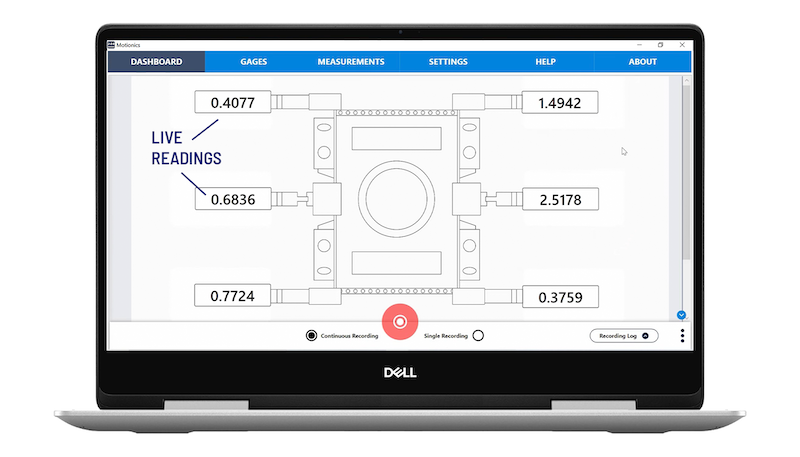
MultiGage software showing live sensor readings from digital gauges on a measurement fixture

Background Images

MultiGage+ also provides the ability to add your own background image to the dashboard. These images could include illustrations, schematics, diagrams, reference photos, or company brand assets. With movable components, elements can be configured around background images as shown.

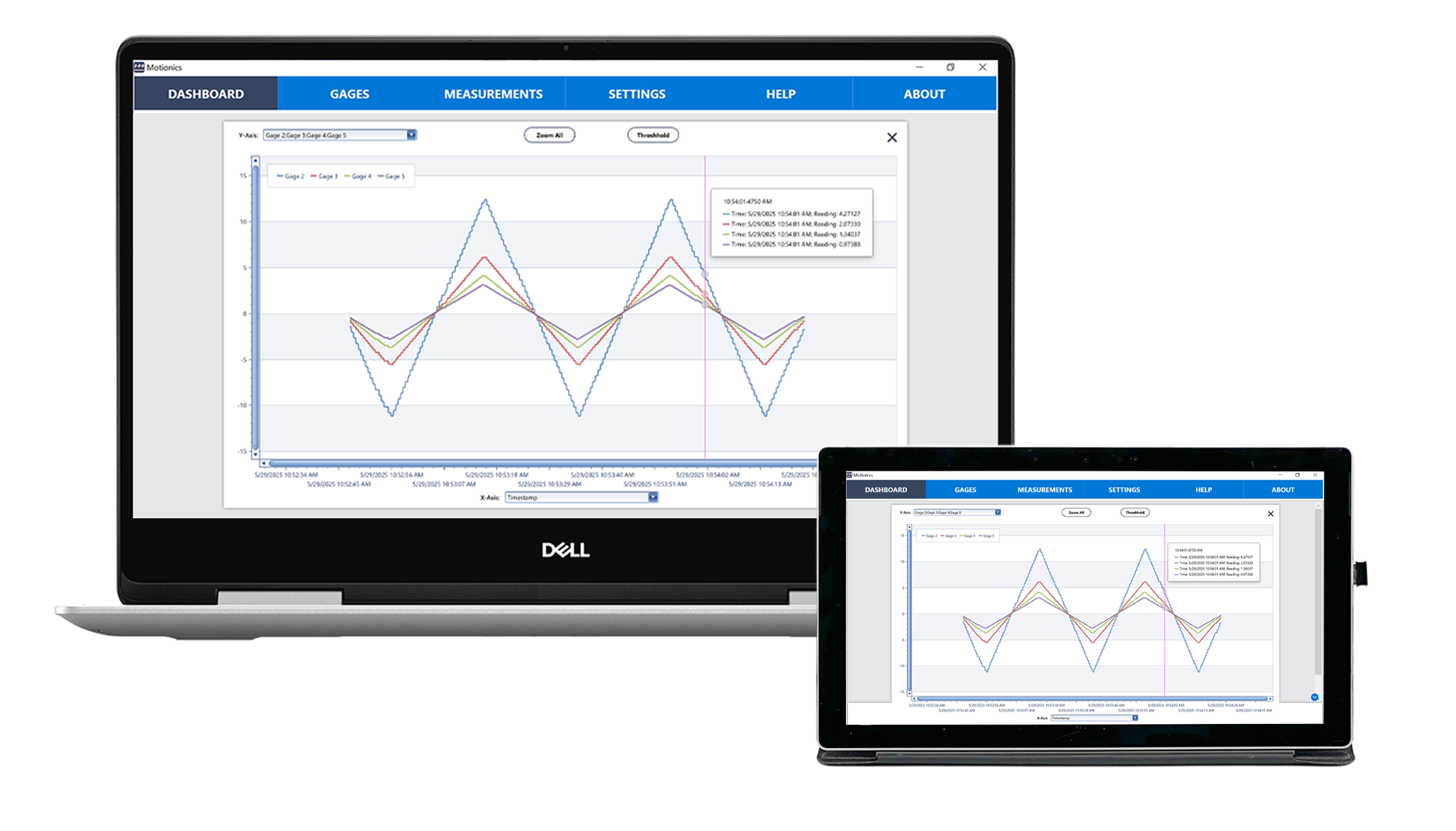
MultiGage software displaying synchronized multi-channel gauge data in a line chart on laptop and tablet

Advanced Graph Overlays

Multiple continuous or single data point recordings can be plotted and overlaid in the graph view. This allows users to easily visualize and compare measurement results for analyzing trends and monitoring data changes over time.

Extra Benefits

MultiGage+ users benefit from:

  • Advanced customer service and support with a 12hr email reply
  • Free annual calibration for up to five Motionics gauges
  • Free 2-hour online remote software training
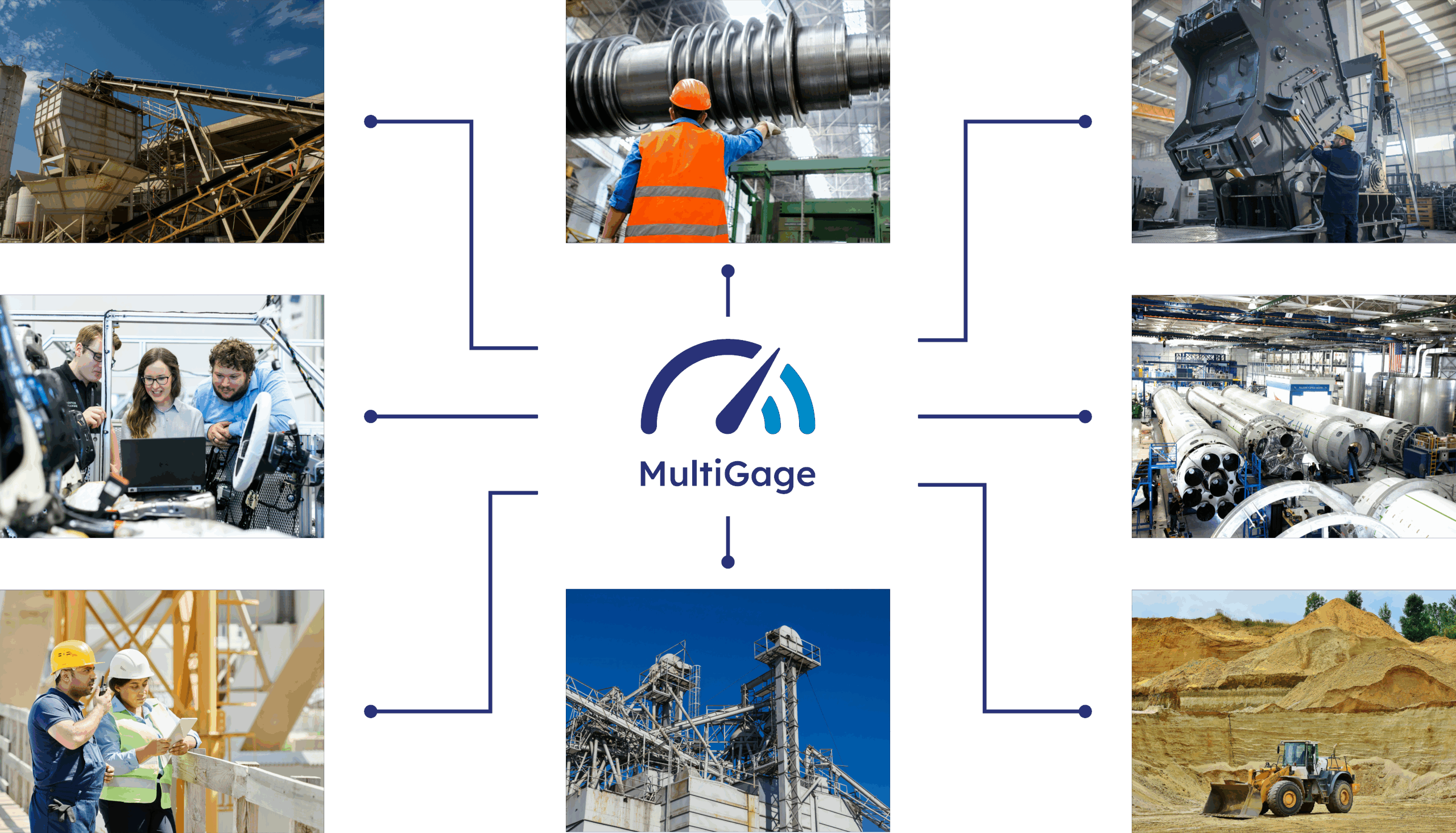
MultiGage system applications across manufacturing, construction, mining, and industrial sectors

Ready to upgrade your workflow?

MultiGage+ offers a comprehensive solution for professionals who need flexible, efficient, and scalable wireless data acquisition.

Click below to see how MultiGage+ can streamline your measurement process and help you gain deeper insights through advanced data visualization.