canlı casino siteleri online casino rottbet giriş rott bet güncel giriş

canlı casino siteleri online casino rottbet giriş rott bet güncel giriş
In today’s fast-paced manufacturing, engineering, and quality control environments, precision measurement needs to be accurate, efficient, flexible, and scalable.

This is where MultiGage: Advanced Wireless Measurement Software excels.

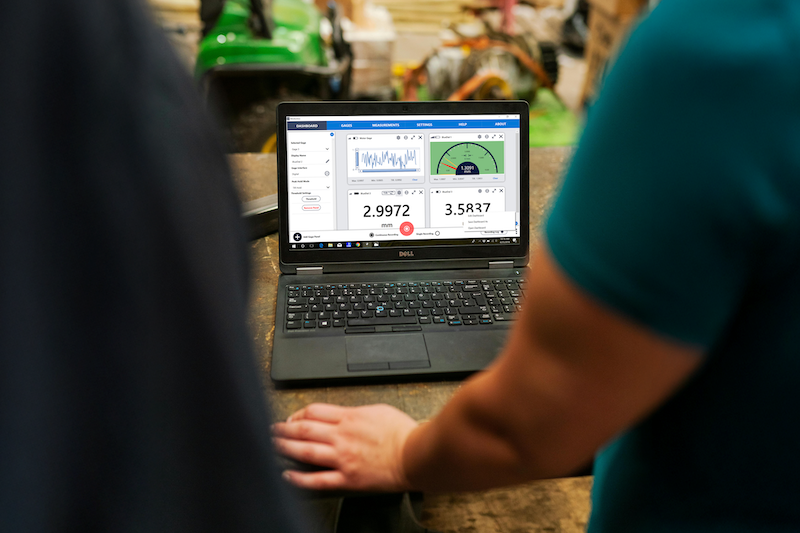
Technicians using MultiGage software on a laptop for real-time industrial measurement and monitoring

What Is MultiGage?

MultiGage is a powerful software platform that connects wirelessly to multiple Motionics measurement devices. It enables users to collect, visualize, and log data from several points simultaneously.

Whether you’re using wireless digital dial indicators, pressure sensors, or load gauges, MultiGage seamlessly integrates with your devices to provide high-accuracy multi-channel measurements.

MultiGage Software is available to download for Windows PCs and the MultiGage iOS/Android app offers even more functionality.

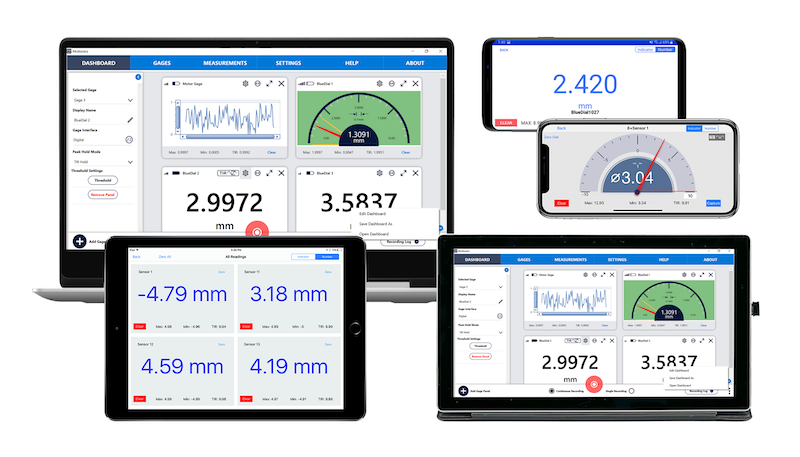
Gauge readings displayed in multiple layouts on tablet and smartphone

Why Wireless Multi-Channel Measurement?

Traditional wired systems come with a range of limitations:

  • Messy cables limit mobility and can cause safety hazards
  • Time-consuming setup for multi-point measurements
  • Difficulty managing and synchronizing data from multiple devices
 

MultiGage eliminates these challenges by offering:

  • Wireless freedom for flexible setup and positioning
  • Real-time data visualization for immediate insights
  • Fast, efficient setup that saves time and reduces errors
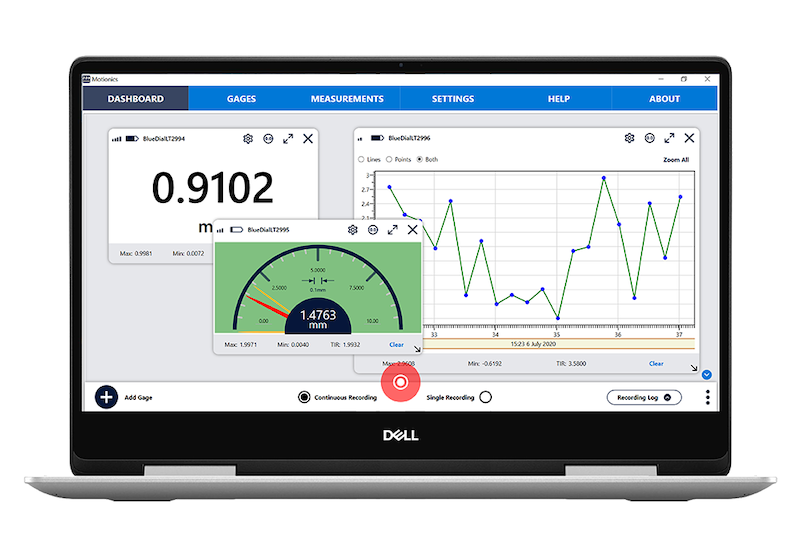
MultiGage software with Bluetooth digital indicator readings, graph plot, and analog gauge display

Key Features of MultiGage

  • Gauge Display Modes: Switch between digital, analog, or graph views in MultiGage for easier data collection and analysis
  • Individual Device Panels: Connect multiple devices and view each in separate, movable panels all on one screen for greater efficiency
  • Realtime Data Plotting: Visualize data live with zoomable graphs, markers, and multi-graph overlays with MultiGage+
  • Max, Min & TIR Display: View max, min, and TIR (Total Indicator Reading) values with adjustable range settings.


Ready to accelerate productivity, safety, and data accuracy with MultiGage?
Click the button to learn more.